Why is my internet so slow? It’s usually one of four things: your provider, your router, your Wi-Fi signal or a single device. Five quick tests tell you which one, so you fix the right thing instead of restarting everything and hoping.
Test 1: Is it everyone or one device?
If every phone, TV and laptop is slow, it’s the line or the router. If only one device is slow, skip to test 5.
Test 2: Run a speed test properly
- Pause downloads, updates and any streaming on other devices.
- Stand close to the router, or better, connect a laptop with a network cable.
- Run a speed test (Speedtest or Fast.com) three times and note the average.
- Compare it with the speed on your plan.
Close to your plan on cable but slow across the room = a Wi-Fi problem, not the provider. Far below your plan even on cable = provider or router.
Test 3: Provider problems and peak hours
Why does internet slow down at night? In the evening, everyone in your estate is streaming and gaming, and some home fibre networks get congested. Other provider causes:
- Fair usage policy (FUP): some plans slow you down after a set amount of data. Check your plan terms.
- Fibre cuts and outages: road works and construction often cut fibre. A red LOS light on the router usually means the line itself is down.
To report it to Safaricom, Zuku, Airtel or any other provider, use their app, WhatsApp support or call centre. Give your account number, the router’s light colours and your speed test results; it speeds up the fault ticket. If outages are frequent, compare home internet options in Kenya.
Test 4: Router and Wi-Fi causes
If cable speed is fine but Wi-Fi is slow, the router or signal is the issue.
- Restart the router once: unplug for 30 seconds. It clears many glitches, especially after KPLC power blinks.
- Move it to a central, raised spot, away from the floor, metal cabinets, fish tanks and the microwave.
- Thick walls in stone and concrete houses block Wi-Fi badly. A mesh system or extender helps.
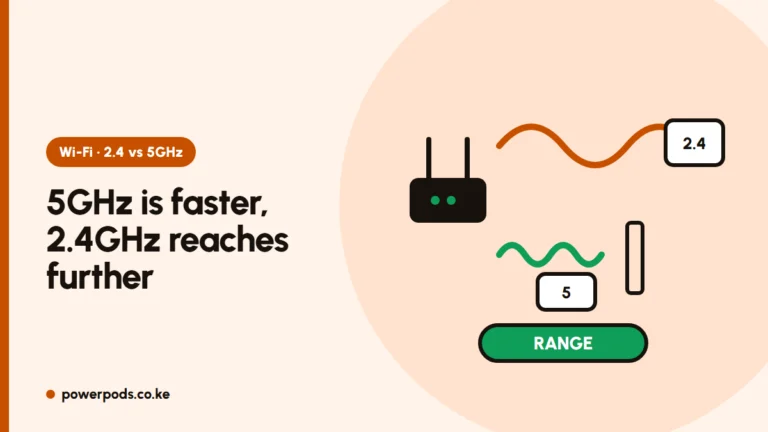
- Use 5 GHz when you’re near the router (faster), 2.4 GHz when you’re far (longer range).
- Old router or uninvited neighbours? Ask your provider for a newer router and change the Wi-Fi password.
More fixes in how to increase Wi-Fi speed.
Test 5: Internet slow on my laptop only
When only the laptop is slow:
- Check for background Windows updates, cloud sync or downloads in Task Manager.
- Turn off any VPN and test again.
- Forget the network and reconnect; see how to connect a laptop to Wi-Fi.
- Update the Wi-Fi driver from the laptop maker’s site.
- Make sure it isn’t on battery saver, which can throttle Wi-Fi.
Quick answers
Usually provider congestion or a fault, a poorly placed or old router, weak Wi-Fi through walls, or one device busy with updates. A cabled speed test tells you which.
Evening peak hours load up the provider’s network as everyone streams at once. If it’s slow only at night, report it with speed test results from different times.
Background updates, a VPN, an outdated Wi-Fi driver or power-saving settings. Reconnect to the network and update the driver.