What to look for when buying a laptop starts with what you’ll actually do on it, not the spec sheet. Decide that first, then check processor, RAM, SSD, battery and condition, in that order.
Start with what you’ll use it for
| Use | What matters most | Comfortable minimum |
|---|---|---|
| School, browsing, Office | Battery, SSD | Core i3/Ryzen 3, 8 GB RAM, 256 GB SSD |
| Office work, many tabs, Zoom | RAM, keyboard | Core i5/Ryzen 5, 8–16 GB, 256–512 GB SSD |
| Design, video, coding | CPU, RAM, screen | Core i7/Ryzen 7, 16 GB+, 512 GB SSD, good screen |
| Travel, field work | Weight, battery | Under 1.5 kg, 8+ hours claimed |
Budget bands in Kenya are roughly: under KES 30,000 (mostly older ex-UK), KES 30,000–60,000 (newer ex-UK or entry-level new), KES 60,000–100,000 (solid new mid-range), and KES 100,000+ (premium or creative work). These are typical ranges, not quotes.
Processor, RAM and storage in one minute
- Processor: newer generation beats a higher number. A Core i5 8th gen or newer is fine for most people and runs Windows 11.
- RAM: 8 GB is the realistic minimum in 2026; 16 GB if you multitask. See how much RAM you need.
- Storage: always an SSD, never a hard drive for your main drive. Our SSD vs HDD guide explains why.
Screen, battery and weight
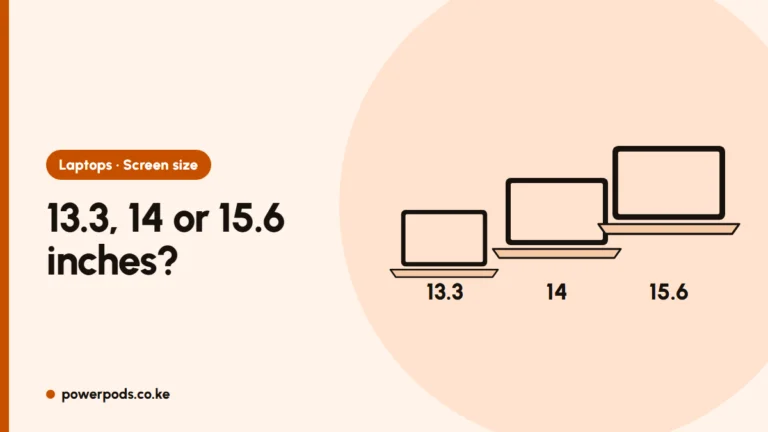
- Screen: full HD (1920×1080) at minimum. Avoid 1366×768 if you’ll stare at it all day. IPS panels look better from angles.
- Battery: with KPLC outages, real battery life matters more than a fast processor for many people. On a used laptop, ask for the battery health report (Windows:
powercfg /batteryreport). - Weight: anything over 2 kg gets tiring on a matatu commute.
Ports, keyboard and build
- At least one USB-C with charging makes chargers easier to replace.
- HDMI if you present or use a monitor.
- Type for a minute. A bad keyboard ruins a good laptop.
- Dust and heat: Kenyan dust clogs fans. Business models (Latitude, EliteBook, ThinkPad) handle it better and are easier to open for cleaning.
New, ex-UK or refurbished?
- New: full manufacturer warranty, highest price.
- Ex-UK: imported used business laptops, often great value, condition varies.
- Refurbished: should be tested and repaired, but the word is used loosely.
Our ex-UK vs refurbished comparison goes deeper.
A 10-point checklist before you pay
- Processor generation matches your plan (8th gen+ for Windows 11).
- 8 GB RAM or more, SSD storage.
- Battery health report checked.
- Every key and the touchpad tested.
- All USB ports, HDMI and headphone jack tested.
- Screen checked on white and black for dead pixels or marks.
- Wi-Fi and webcam work.
- Windows is activated (Settings > System > Activation).
- Charger is the right wattage, not a cheap copy.
- Warranty terms written on the receipt, with length and what it covers.
For used machines, follow our full guide to checking a used laptop before buying.
Quick answers
Start with your use, then check processor generation, at least 8 GB RAM, an SSD, a full HD screen and real battery life.
For most people: RAM and an SSD. They affect daily speed more than the processor badge.
Battery health, keyboard, ports, screen, Windows activation, and a written warranty on the receipt.