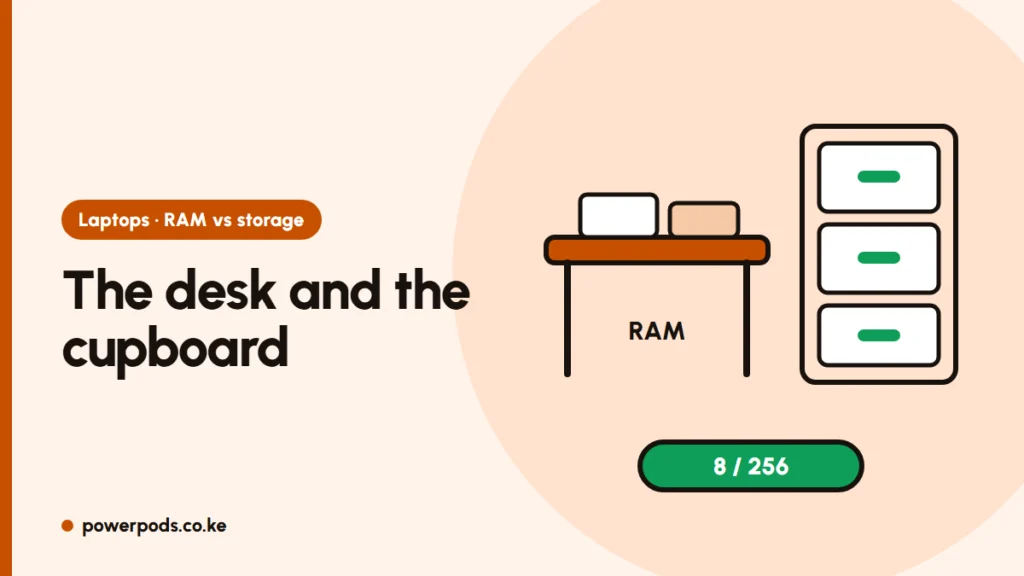
In RAM vs storage, “8GB / 256GB” means 8 GB of RAM (the working space for open apps) and 256 GB of storage (where your files and programs are kept). RAM decides how smoothly the device multitasks; storage decides how much you can keep on it.
RAM vs storage in one analogy
Think of an office:
- RAM is the desk. Whatever you’re working on right now sits there: open apps, browser tabs, the Zoom call. A bigger desk lets you spread out more work without shuffling.
- Storage is the cupboard. Every file, photo, program and the operating system lives there, even when the power is off.
When you open something, the device takes it out of the cupboard and puts it on the desk. When the desk is full, it keeps swapping things back to the cupboard, and the laptop or phone slows down. When you switch off, the desk is cleared; the cupboard keeps everything.
So RAM and storage are not the same; more of one can’t replace the other.
Reading “8GB / 256GB”
Sellers in Kenya write these numbers in many ways. The smaller number is almost always RAM; the bigger one is storage.
| Listing says | RAM | Storage |
|---|---|---|
| 4/128 | 4 GB | 128 GB |
| 8GB/256GB | 8 GB | 256 GB |
| 8GB RAM, 512GB SSD | 8 GB | 512 GB (SSD) |
| 16/1TB | 16 GB | 1 TB (1,000 GB) |
The same shorthand is used for phones, so “Redmi 8/256” means 8 GB of RAM and 256 GB of storage.
On laptops, also check the storage type: an SSD is far faster than an older HDD, and matters more than storage size for speed. See SSD vs HDD. Some phones advertise “extended RAM”, which borrows storage space and is much slower than real RAM.
How much of each you need
| Use | RAM | Storage |
|---|---|---|
| Browsing, WhatsApp, documents | 8 GB | 256 GB SSD |
| Students, office work, many tabs | 8 to 16 GB | 256 to 512 GB SSD |
| Gaming, photo and video editing | 16 GB or more | 512 GB to 1 TB SSD |
Windows and preinstalled apps use some storage, so a 256 GB laptop shows less free space out of the box. For RAM by task, see how much RAM do I need; for the full spec sheet, laptop specs explained.
Which to upgrade first
- Slow with lots open, fan busy, tabs reloading? You’re short on RAM. Add RAM if the laptop has a free slot; many thin laptops have it soldered, so check before you buy.
- Slow to start and open everything, still on an HDD? Swap to an SSD first; it’s the biggest speed boost for an older laptop.
- “Storage full” warnings? Move photos and videos to an external drive or the cloud, or fit a bigger SSD.
Phones can’t be upgraded, except storage on models with a memory card slot, so choose the right numbers when you buy.
Quick answers
8 GB of RAM for running apps and 256 GB of storage for files, photos and programs.
Memory (RAM) holds whatever you’re using right now so the processor can reach it quickly. It’s cleared when you switch off.
No. RAM is short-term working space; storage keeps your files permanently. A device needs enough of both.