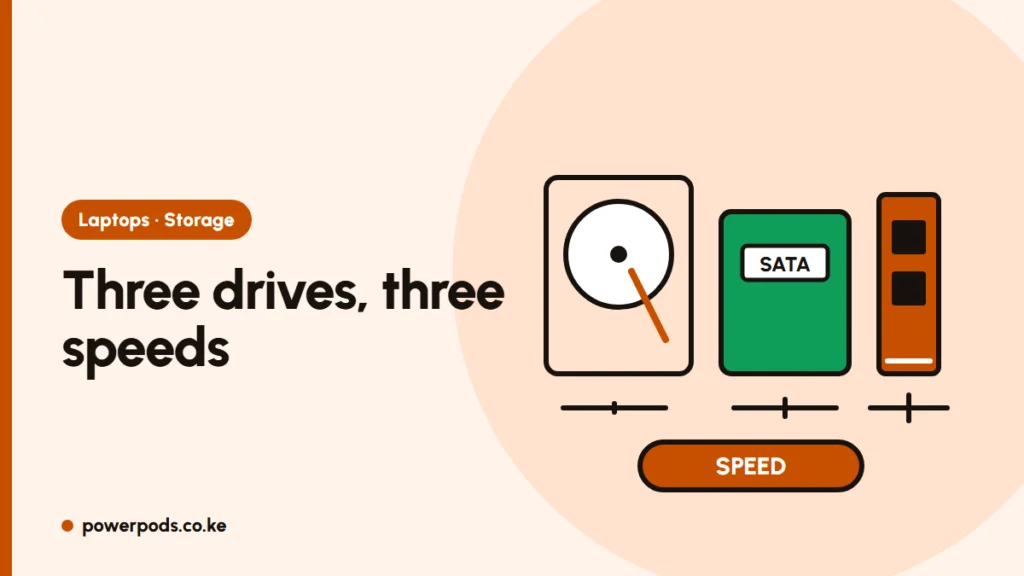
In HDD vs SATA SSD vs NVMe, each step is faster: a laptop hard drive reads at about 100 MB/s, a SATA SSD at about 550 MB/s and an NVMe SSD at 3,500 MB/s or more. The biggest jump you’ll feel is HDD to any SSD; SATA to NVMe is a smaller, everyday difference.
New to the basics? Start with SSD vs HDD.
Three storage types at a glance
- HDD (hard disk drive): spinning platters and a moving arm. Cheap per gigabyte, slow, fragile when knocked.
- SATA SSD: flash memory on the older SATA connection. Comes as a 2.5″ box or an M.2 stick.
- NVMe SSD: flash memory on the faster PCIe connection. Almost always an M.2 stick.
Real-world speed numbers
| Drive | Typical read speed | Feels like |
|---|---|---|
| Laptop HDD (5,400 rpm) | 80–120 MB/s | Slow boot, lag opening apps |
| Desktop HDD (7,200 rpm) | 150–200 MB/s | A little better |
| SATA SSD | 500–560 MB/s | Fast; boots in seconds |
| NVMe, PCIe 3.0 | up to ~3,500 MB/s | Faster big file copies |
| NVMe, PCIe 4.0 | up to ~7,000 MB/s | Same feel for most people |
| NVMe, PCIe 5.0 | up to ~14,000 MB/s | Mostly for desktops and pros |
A SATA SSD is about 5 times faster than a laptop HDD in straight reads, and far more for the small random reads Windows does constantly. That’s why an SSD makes an old laptop feel new.
NVMe is several times faster than SATA on paper, but booting and opening apps are only a second or two quicker. You notice it when copying large files, editing video or loading big games.
M.2 slot types: SATA vs NVMe
M.2 is a shape, not a speed. An M.2 slot can be SATA, NVMe or both.
- Notches: M.2 SATA sticks usually have two notches (B+M key); NVMe sticks have one notch (M key).
- Length: printed as 2280 (22 mm wide, 80 mm long, the most common), 2242 or 2230.
- Compatibility: an NVMe drive won’t work in a SATA-only M.2 slot, even though it may fit. A PCIe 4.0 drive works in a PCIe 3.0 slot, just at 3.0 speed.
Which upgrade fits your laptop
- Check what’s inside now. Search your model number with “SSD upgrade”, or use a free tool such as CrystalDiskInfo to see if the drive is SATA or NVMe.
- Older ex-UK laptops (roughly Intel 5th gen and earlier) often have only a 2.5″ SATA bay. Buy a 2.5″ SATA SSD; NVMe won’t fit.
- Many mid-2010s laptops have an M.2 slot that is SATA only. Confirm before buying an NVMe drive.
- Newer laptops usually take M.2 NVMe. Match the length (often 2280).
- Some laptops have both a 2.5″ bay and an M.2 slot: put Windows on the SSD and keep the old HDD for files.
Ask the shop to confirm the drive suits your model before paying. Other upgrades: how to speed up a slow laptop and laptop specs explained.
Quick answers
An HDD stores data on spinning disks; an SSD uses flash memory. NVMe is a faster type of SSD that connects through PCIe instead of SATA.
Roughly 6 to 13 times faster in file transfer speed, but only slightly faster for booting and opening apps.
Only if it has an M.2 slot that supports NVMe. Older laptops with just a 2.5″ bay, or a SATA-only M.2 slot, need a SATA SSD.