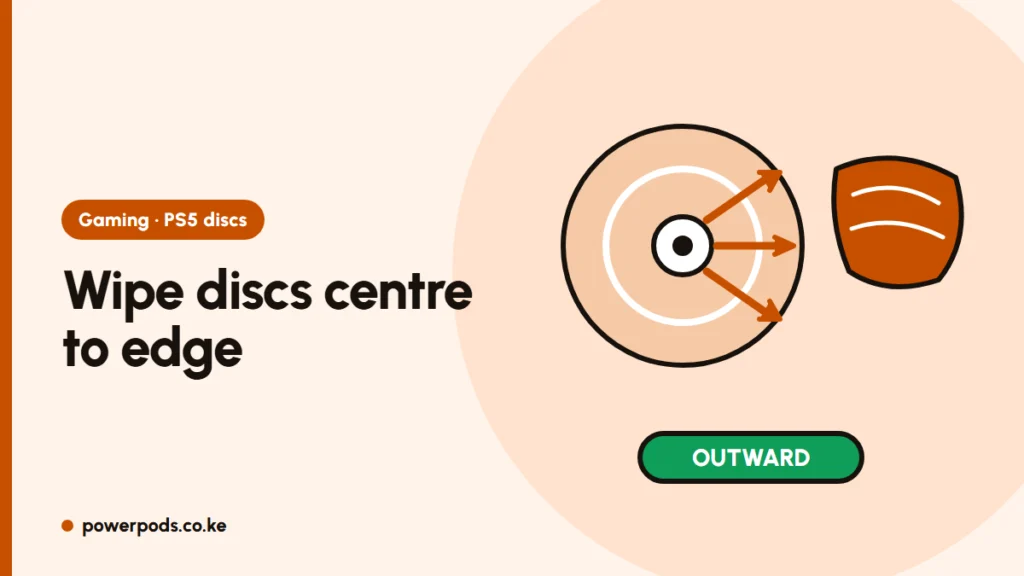
To clean a PS5 disc, wipe the shiny side with a soft microfibre cloth in straight lines from the centre to the edge, never in circles. You can’t safely clean the PS5 disc drive itself without opening the console, so keep discs and the area around the console clean instead.
Cleaning a game disc
Second-hand discs bought or swapped in Kenya often arrive with fingerprints, dust and grease. To clean one:
- Hold the disc by the edges and centre hole only.
- Wipe the shiny (bottom) side with a dry microfibre cloth, in straight strokes from the centre hole outwards.
- For smudges, lightly dampen the cloth with clean water (distilled if you have it) and repeat. For stubborn grease, a little isopropyl alcohol on the cloth (never poured on the disc) works.
- Dry with a clean part of the cloth, again centre to edge, and let it air-dry before inserting.
Avoid: circular wiping, tissues or rough cloth, toothpaste, and household cleaners. Light scratches often still play; deep ones may need a disc-resurfacing service or a replacement copy.
Can you clean the PS5 disc drive?
Not safely from the outside. The lens sits deep inside the drive, and reaching it means opening the console, which can damage the drive and void the warranty. Don’t poke cloths or cotton buds into the slot.
What you can do:
- Keep the console off the floor and away from open windows. In dusty towns and during dry, dusty months, dust is the main enemy.
- Clean the outside and vents as described in how to clean a PS5. Good airflow also helps with PS5 overheating.
- Only insert clean, dry discs. A dirty disc carries dust straight into the drive.
While you’re at it, clean the controller too.
When a disc won’t read
Try these in order:
- Check the disc type. The PS5 plays PS5 and most PS4 game discs, Blu-ray and DVD films. It can’t play audio CDs or burned/copied discs. The Digital Edition has no drive unless a separate disc drive is attached.
- Clean the disc as above and try again.
- Try another disc. If other discs work, the problem is that disc (scratched, cracked or a fake copy).
- Restart the console fully (not rest mode).
- Safe Mode > Clear Cache and Rebuild Database. Turn the PS5 off, hold the power button until the second beep, connect the controller with a USB cable, and choose the option. Your games and saves stay.
- Clicking or grinding with every disc? That points to a fault inside the drive. If the console is under warranty, contact PlayStation Support; otherwise use a reputable repair technician.
Quick answers
Wipe the shiny side with a microfibre cloth, in straight lines from the centre outwards. Use a little water for smudges and let it dry before inserting.
Not without opening the console, which risks damage and your warranty. Keep discs clean and the console out of dust instead.
Usually a dirty or scratched disc, an unsupported disc (audio CD or burned copy), or a database error. Clean it, test another disc, then try Rebuild Database in Safe Mode.